Back to: Previous Page
Zoom 操作指南

1. 如何更改网站语言
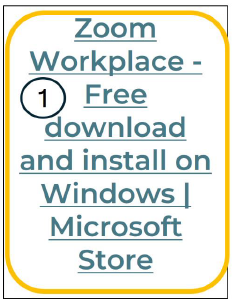
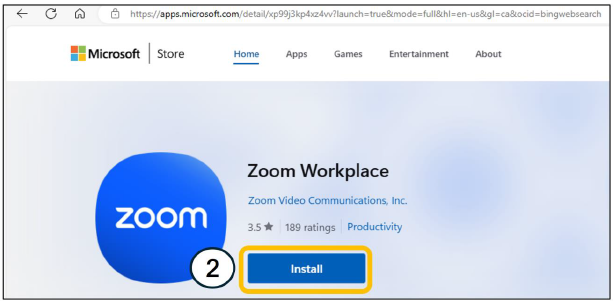
2. 如何下载 Zoom
3. 如何在进入 Zoom 前更改您的姓名
4. 如何举手
5. 如何激活口译功能
6. ASL 口译工具

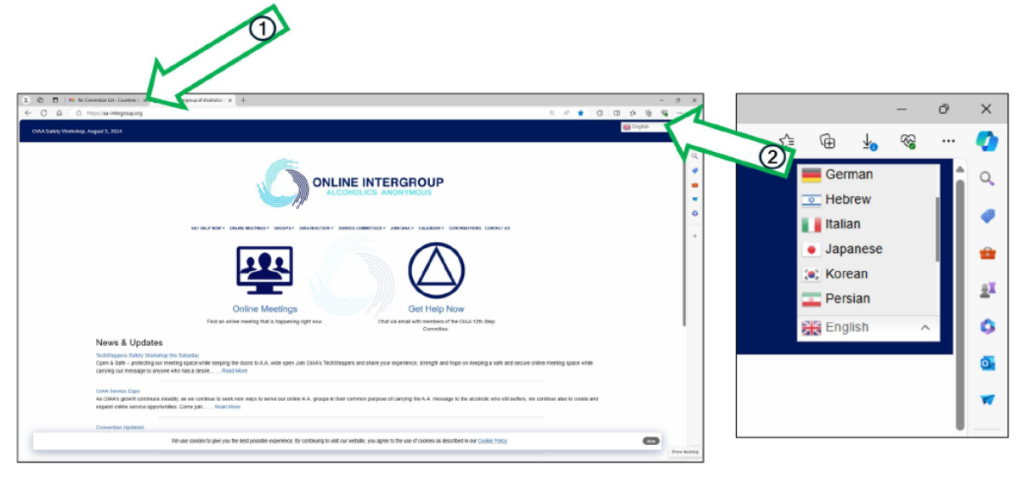
将 OIAA 网站更改为我的语言
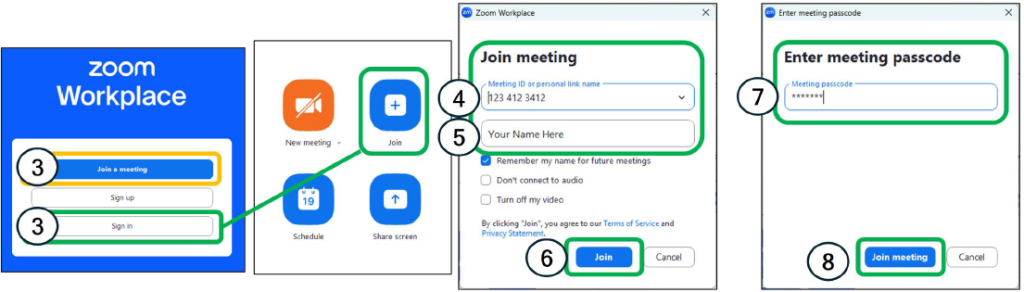
Zoom 新用户 | 在加入会议前在 Zoom 上更改您的姓名
请按照以下说明下载 Zoom 或在进入 OIAA 国际大会的 Zoom 会议之前更改您的姓名。
在 Zoom 会议中举手

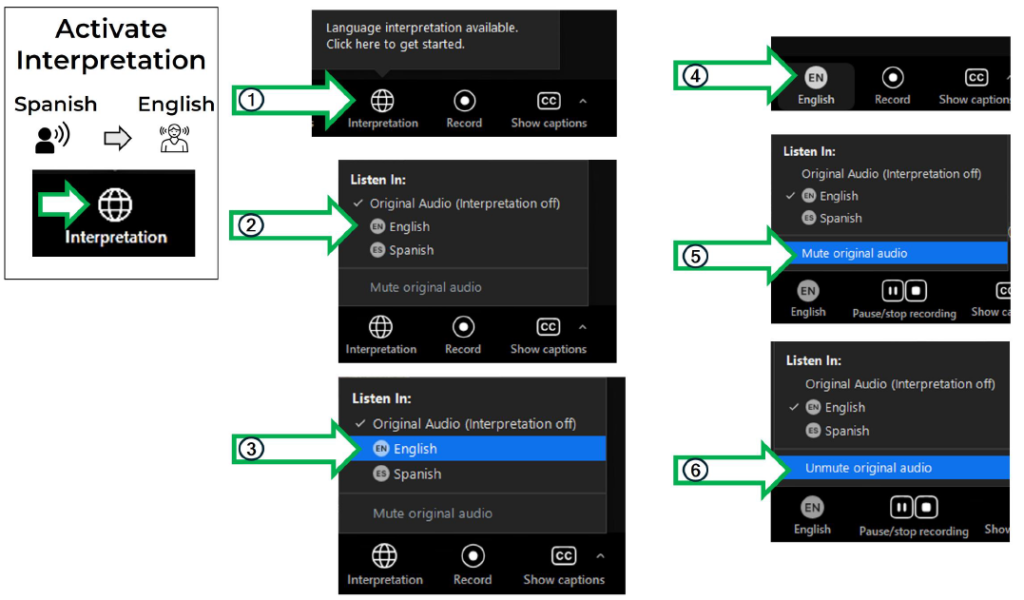
在 Zoom 会议中激活语言口译功能
ASL 说明
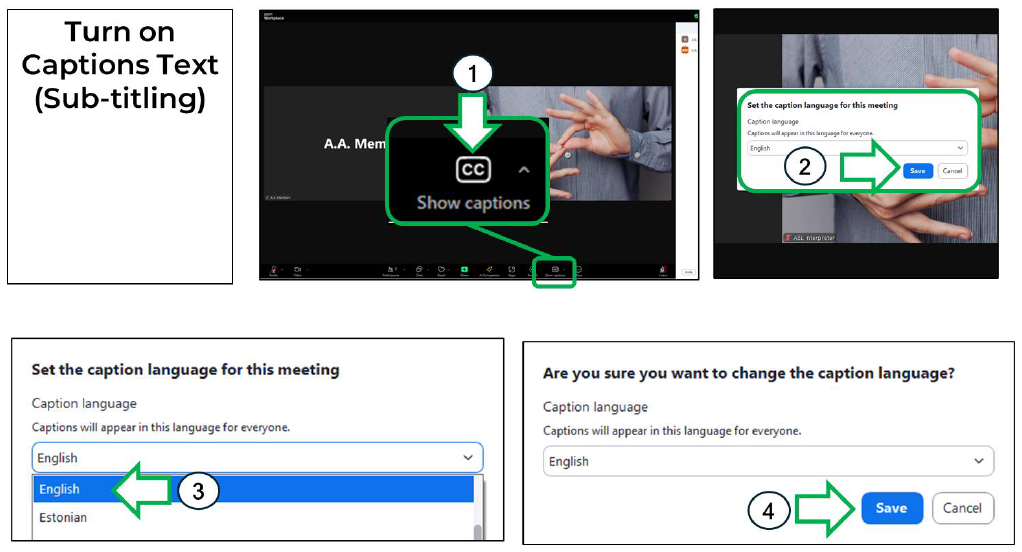
在 Zoom 中开启字幕功能
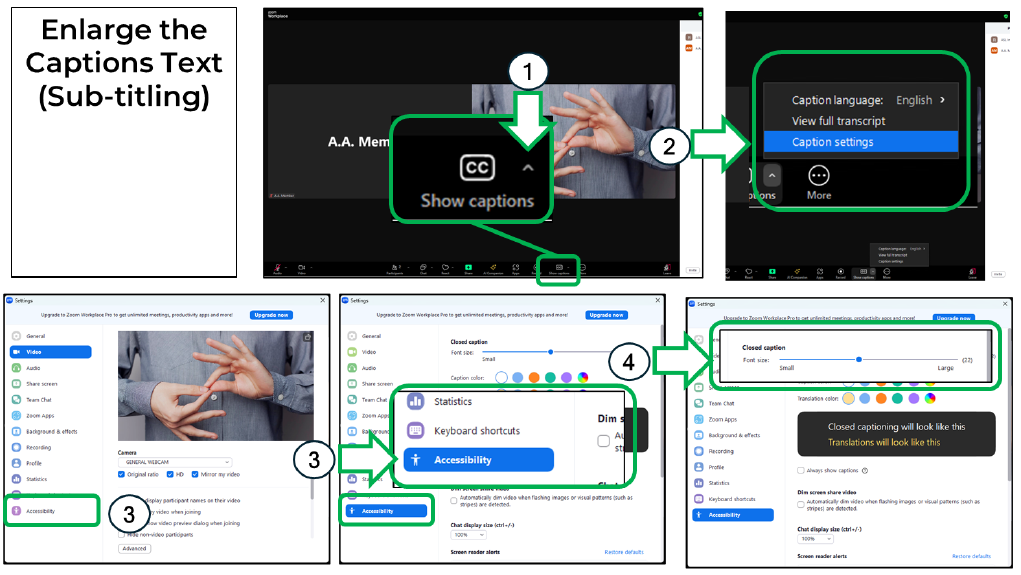
在 Zoom 中放大字幕
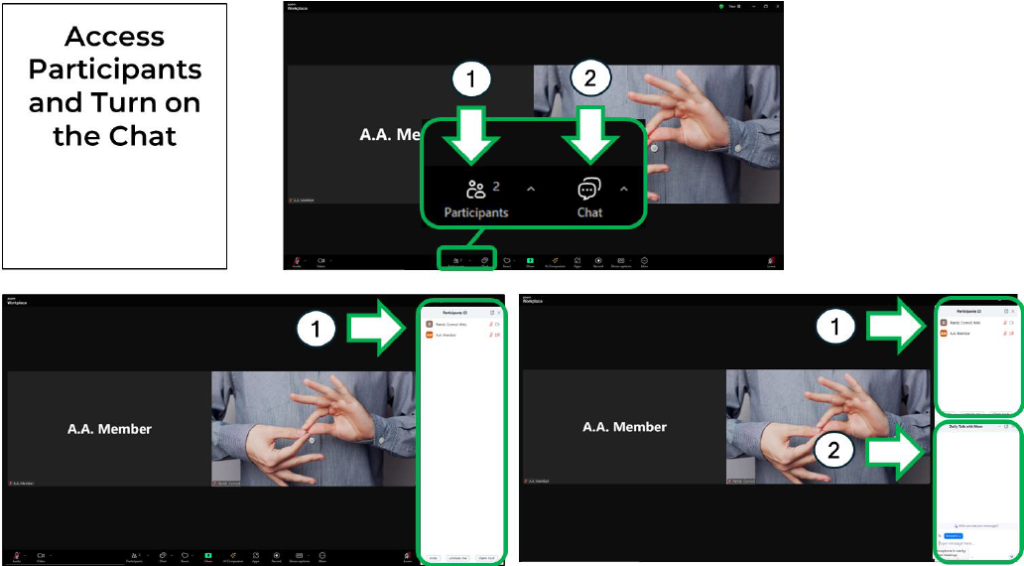
在 Zoom 中访问参会者并开启聊天功能
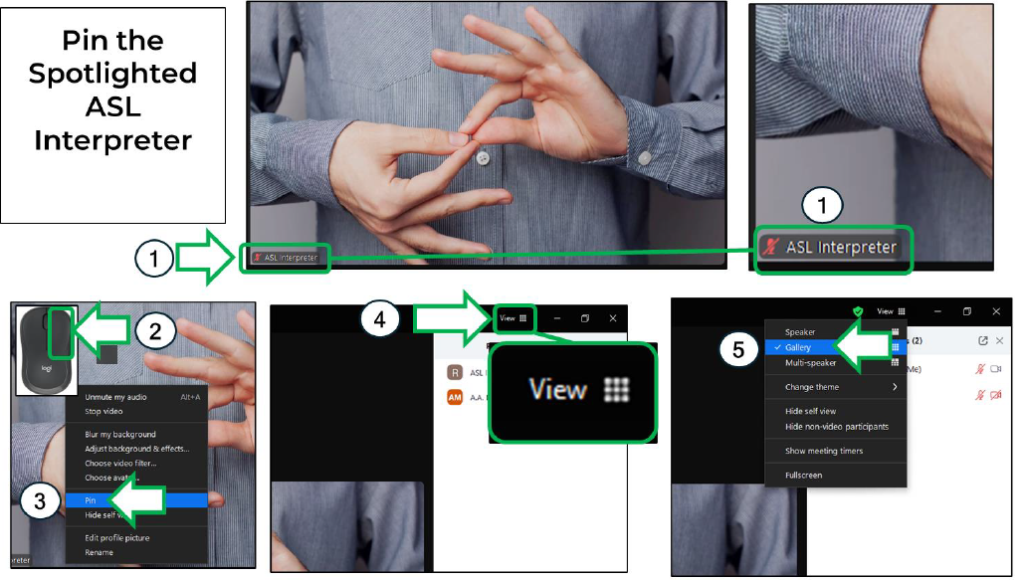
在 Zoom 中固定高亮显示的 ASL 口译员